General phone procedure
- Use autoscan on a good app - or a bluetooth trigger.
- check the quality of images, and rescan the misscanned pages
- transfer the images to desktop, or produce pdf on phone
doc scanner
auto-capture mode has made it perfect for digitizing Sanskrit documents. - mohit dokania
Camscanner
No good OCR - just scanning.
- Auto-scan video .
- Support for generating 2 page images from single photo - only in non-automatic mode.
vflat
- android, apple
- Auto-scan video .
- free app - Scanning and exporting images - no restrictions. pdf making restricted to 10 images.
- generates 2 page images from single photo well. But there is a monthly limit.
pdf processing
Splitting multi-page/ column pages
-
scantailor advanced does an excellent automated job, if used right. kArtik uses it.
sudo flatpak install flathub org.scantailor.Scantailor-advanced- Input and output - images, not pdfs. Outputs tiffs.
- Input -
mkdir images; pdftoppm -jpeg input.pdf images/page - Output -
mogrify -format jpg -quality 85 *.tif img2pdf --pagesize A4 --fit shrink *.jpg -o output.pdf
- Input -
- Must run various stages sequentially -
- split pages, fix page box, set margins, output ….
- Stage settings
- no content selection, don’t set margins
- color output, white fill.
- Click on all visible apply-to buttons to select target pages. Eg. Big Mode rectangle includes one “apply to” button despite many options.
- Software Settings - jpg output;
-
can be done with pdfarranger - but can be laborious if facing page proportions are not uniform
-
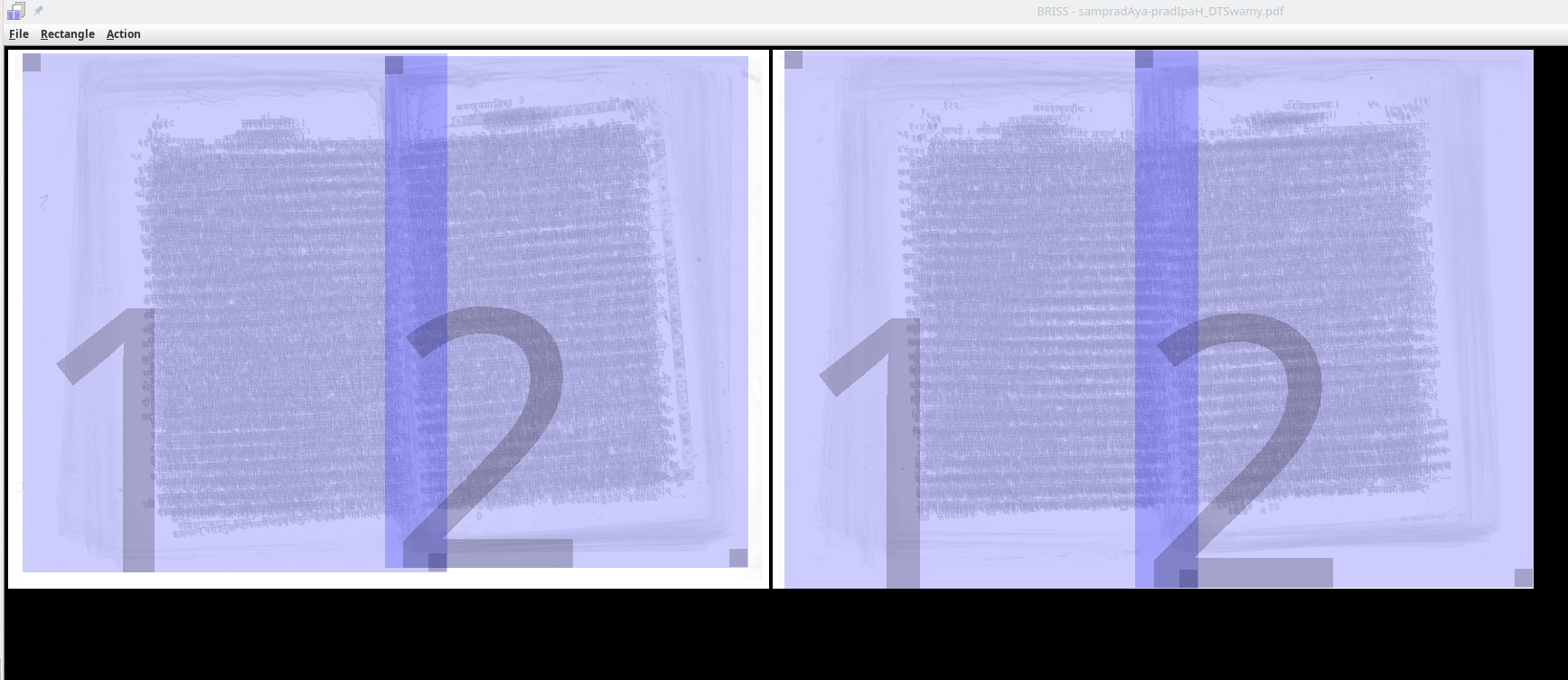
briss is more automated. Still - makes errors. Can make overlapping rectangles.
- Source: GH
-
can open the pdf on computer, and use adobe scan on phone with 2-page mode on it.
pdf compression
gs -sDEVICE=pdfwrite -dCompatibilityLevel=1.4 -dPDFSETTINGS=/ebook -dNOPAUSE -dQUIET -dBATCH -sOutputFile=alt.pdf tirukkural_alt_2.pdf- small pdf or similar online resources